
What if I told you that while everyone is chasing Google’s ever-changing algorithms, there’s a search engine quietly driving traffic to millions of websites, and most people are ignoring it?
Voila!
Welcome to the world of Pinterest. A platform we all go to for decoration ideas and inspiration.
But this platform offers more!
It’s a visual search engine, and learning how to use this platform for SEO could be the traffic game-changer you’ve been missing out on.
I’ve tested it myself across multiple sites where Google traffic was a struggle, and Pinterest delivered.
In this guide, I’ll show you beginner-friendly, actionable steps to make Pinterest an extra layer of SEO for visibility, traffic, and growth.
Pinterest Terminologies You Should Know
Before we plunge into how to use Pinterest for SEO, it’s important to get familiar with the lingo.
Pinterest has its own ecosystem, and understanding these terms will help you make sense of the platform and apply strategies more confidently. Here are the basics:
- Boards: Think of these like digital mood boards or neatly labelled folders where you group related ideas, whether it’s “Healthy Recipes,” “DIY Decor,” or “SEO Tips.”
- Pins: This includes individual pieces of content, such as images, videos, or infographics, that link back to a website or resource.
- Repins: This happens when someone saves your pin to their own board, extending your reach and visibility.
- Impressions: This refers to the number of times your pin was seen in Pinterest feeds, search results, or boards.
- Outbound Clicks: This is when users click through a pin to visit the website/platform it’s linked to.
- Saves: This is when someone saves your pin to their own board, signalling interest and boosting your pin’s reach.
- Rich Pins: These are special pins that pull extra details like product pricing, article titles, or recipes directly from your website.
- Group Boards: These are boards where multiple contributors can pin, making it easier to collaborate and expand your audience.
With these terms in mind, you’ll find it much easier to follow the steps ahead and understand how each piece contributes to boosting your visibility.
Interesting Pinterest Statistics You Should Know
Want to feel a serious case of FOMO?
Here are 10 eye-opening statistics, all from a single trusted source, that demonstrate the power of Pinterest for SEO, discovery, and website traffic.
With numbers like these, it’s easy to see why so many creators rely on Pinterest as their go-to traffic source.
- 570 million monthly active users (MAUs) as of Q1 2025—a record high, with a 10% year-over-year increase.
- 96% of top Pinterest searches are unbranded, meaning most people are open to new ideas, even from you.
- Pinterest drives 33% more referral traffic to e-commerce sites than Facebook.
- Pinterest ads deliver a 32% higher return on ad spend (ROAS) compared to other digital platforms.
- 1.5 billion Pins are saved every week—that’s content being shared and seen endlessly.
- As of 2024, over 10 billion boards have been created by users. You can see that your content has serious space to live and breathe.
- Video Pins are watched nearly 1 billion times daily, and users are 55% more likely to buy after seeing a video Pin. What better opportunity to promote your video assets?
- Gen Z now makes up 42% of Pinterest’s global user base. This is your growing, trend-savvy audience.
- 82–85% of Pinterest usage happens on mobile devices, making your Pins instantly accessible everywhere.
- Over half of all users are under 35, signalling a generational shift as younger users flock to the platform.
10 Steps to Using Pinterest for SEO
We’ve covered the basics, and now we’re finally at the heart of the gist, the part you’ve been waiting for. This is where we dive into the practical steps that make Pinterest such a powerful SEO tool. Think of the next 10 steps as your playbook: clear, actionable steps to boost your visibility, grow your audience, and drive consistent traffic to your site.
1. Confirm if Your Niche is Pinterest-Friendly
Not every niche thrives on Pinterest, so the first step is figuring out if yours does. Popular categories that perform really well include food, lifestyle, parenting, home décor, fashion, and wellness. If your content falls into one of these, you’re off to a great start.
If you’re unsure, you can do a quick test.
Type your main keywords into Pinterest’s search bar and see what comes up. If you find a steady flow of pins, boards, and accounts around those topics, it means your niche has an audience waiting for you. If not, don’t stress, you might just need to tweak your angle to fit what pinners are searching for.
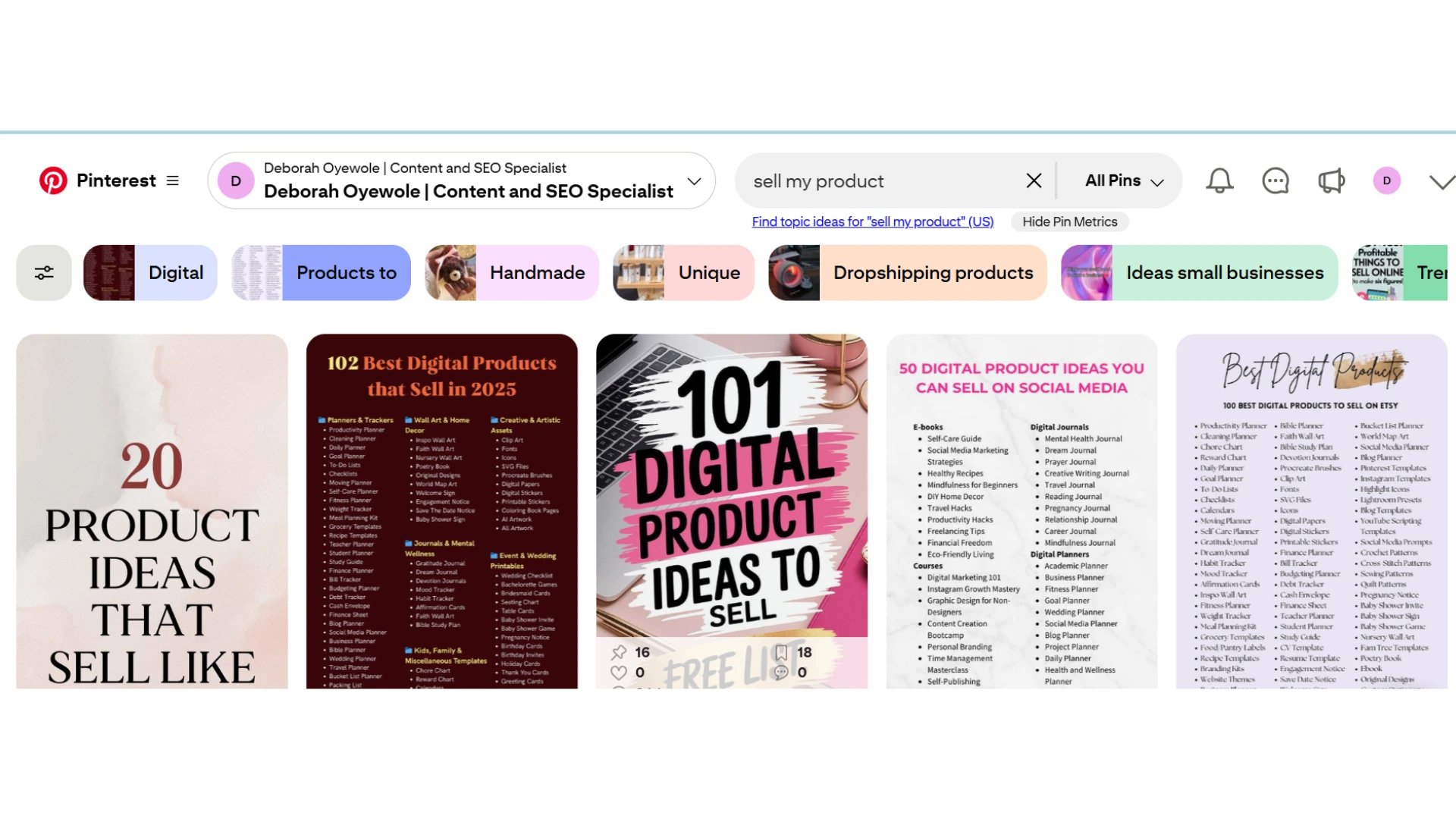
Another thing you should keep in mind is that what you discover here won’t just influence your Pinterest strategy; it may also shape how you plan and position content on your website. By leaning into what people are already searching for, you’ll have a much easier time getting traction.
2. Set Up a Pinterest Business Account
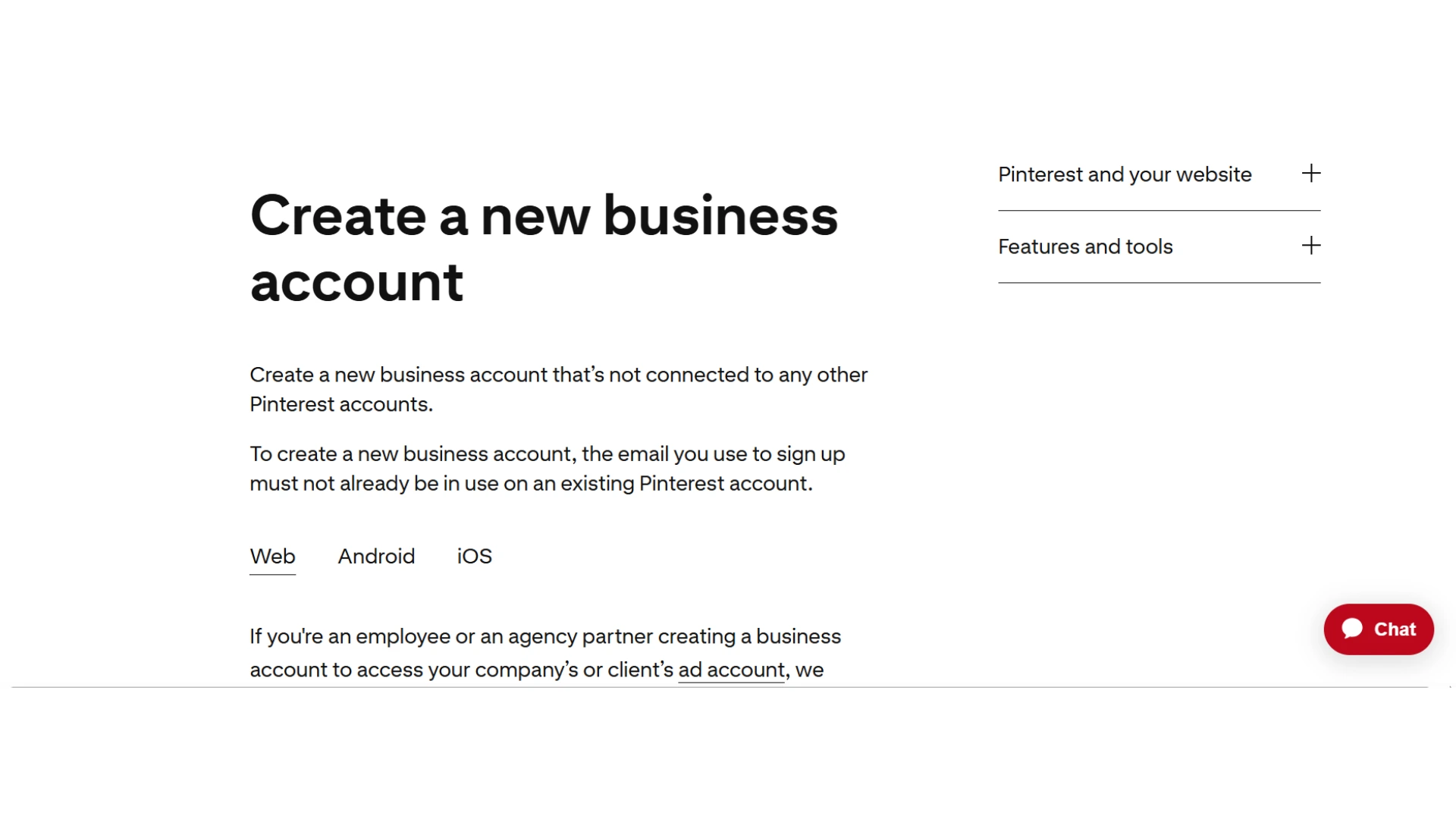
A Pinterest Business account gives you access to analytics so you can see what’s working, extra tools like the Pinterest scheduler, and more credibility when people land on your profile. Think of it as levelling up from casual pinner to purposeful creator.
It’s simple to set up one. All you have to do is create a free business account or convert your existing personal one in a few clicks. From there, you can unlock features that help you track performance, understand your audience, and fine-tune your content strategy.
3. Verify and Link Your Website/Other Social Assets
Verifying your website on Pinterest isn’t just a technical step. It’s also a way of saying, “Yes, this brand is mine.” It builds trust with your audience, strengthens your brand, and provides access to deeper insights into how people interact with your content.
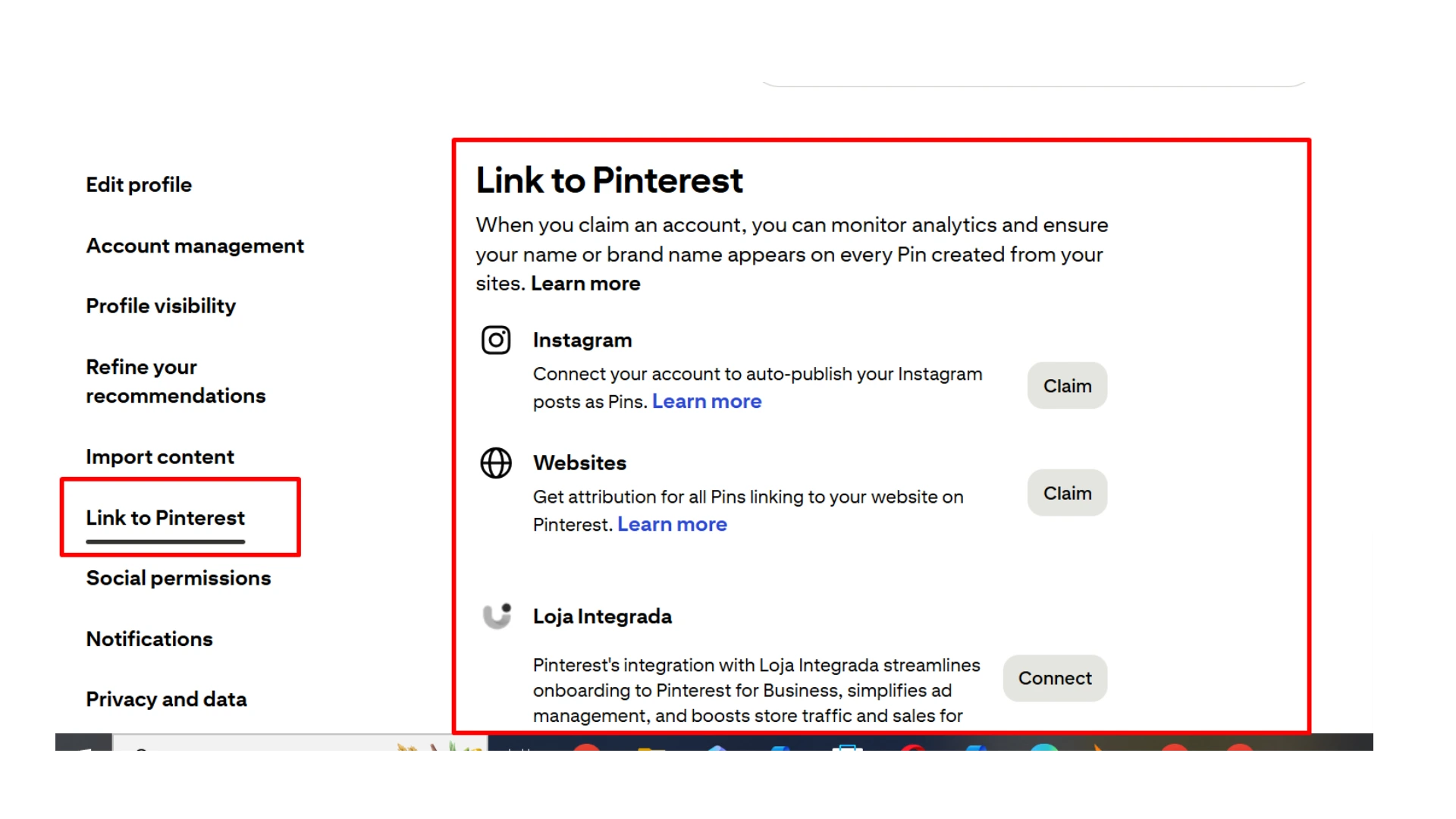
I remember the first time I verified my own website, and suddenly, I could see exactly which pins were driving the most traffic. It felt like unlocking a new level of strategy instead of just posting blindly.
Beyond your website, Pinterest also allows you to link to other platforms, like Etsy, Instagram, or YouTube.
4. Optimize Your Business/Company’s Name and Username
Your business name and username are the very first things people notice when they come across your profile. It’s like your digital handshake. The key is to make them clear, memorable, and keyword-friendly so potential clients can actually find you.
For example, instead of using something vague brand name like “Sunshine”, opt for a format that combines branding and discoverability, such as “Sunshine_CandleCo” or “GlowHomeCandles”.
From my own experience, when I swapped out a random username for one that included my niche, my profile started showing up in search more often. It wasn’t about losing personality, but making sure the right people could discover me.
A few things to keep in mind when optimizing your brand name :
- Clarity over cleverness: Don’t overcomplicate it, and make sure people instantly know what you do at a glance.
- Add keywords naturally: If you’re a designer, coach, or Etsy seller, weave that into your name or display name.
- Stay consistent across platforms: Use the same username or handle on Instagram, Etsy, and YouTube, if possible.
Think of your name and username as signposts. Done right, they not only reinforce your brand but also improve your SEO visibility so you’re not hiding in plain sight.
5. Optimize Your Pinterest Page
Don’t skip over your “About” section. It’s vital for helping people who see your pins to understand who you are and what you do. When I first set up my page, I made the mistake of writing only what I know my brand stands for. But honestly, it didn’t do much for visibility or engagement.
Once I went back and added clear keywords like “Pinterest marketing tips for busy moms”, shared the main benefit of following me, and dropped a simple call-to-action that led back to my freebie, I noticed a real difference in how people engaged.
Here’s what you can do too:
- Use keywords naturally: Think about the exact words your ideal audience is typing into the search bar.
- Highlight the benefits: Instead of only saying what you do, explain why it matters to them (e.g., “Helping working moms grow traffic without spending hours online”).
- Add a simple call-to-action: Something short, like “Grab my free guide here” or “Check out more tips on my site.”
Your “About” section doesn’t have to be long or fancy. Just clear, keyword-rich, and a little bit inviting, like you’re talking to a friend who’s about to follow you.
6. Conduct Competitor Research
When I first started pinning, I had to come up with every idea from scratch. But here’s the truth: your competitors can actually be one of your best teachers. Taking a peek at what others in your niche are doing on Pinterest allows you to spot opportunities.
Here’s what I do that you can implement: I looked at the top boards and pins from people or brands in my space. I paid attention to the keywords they’re using, the pin styles that seem to be performing well, and even the content gaps they might be leaving wide open.
For example, if everyone is creating pins about “meal prep for busy moms” but no one is talking about “5-minute healthy snacks for toddlers,” that’s a golden opportunity to step in and fill the gap.
Think of it like scouting before a game. You’re technically gathering insights so you can play smarter, not harder. You can also keep a simple notebook or digital doc where you jot down the recurring keywords, pin designs you love, and ideas that spark your creativity. The goal isn’t to mimic, but to adapt and create something that’s authentically you.
You’ll be surprised how much clarity and inspiration come from spending just 20 minutes looking at what’s already working for others.
7. Create Descriptive Pinterest Boards
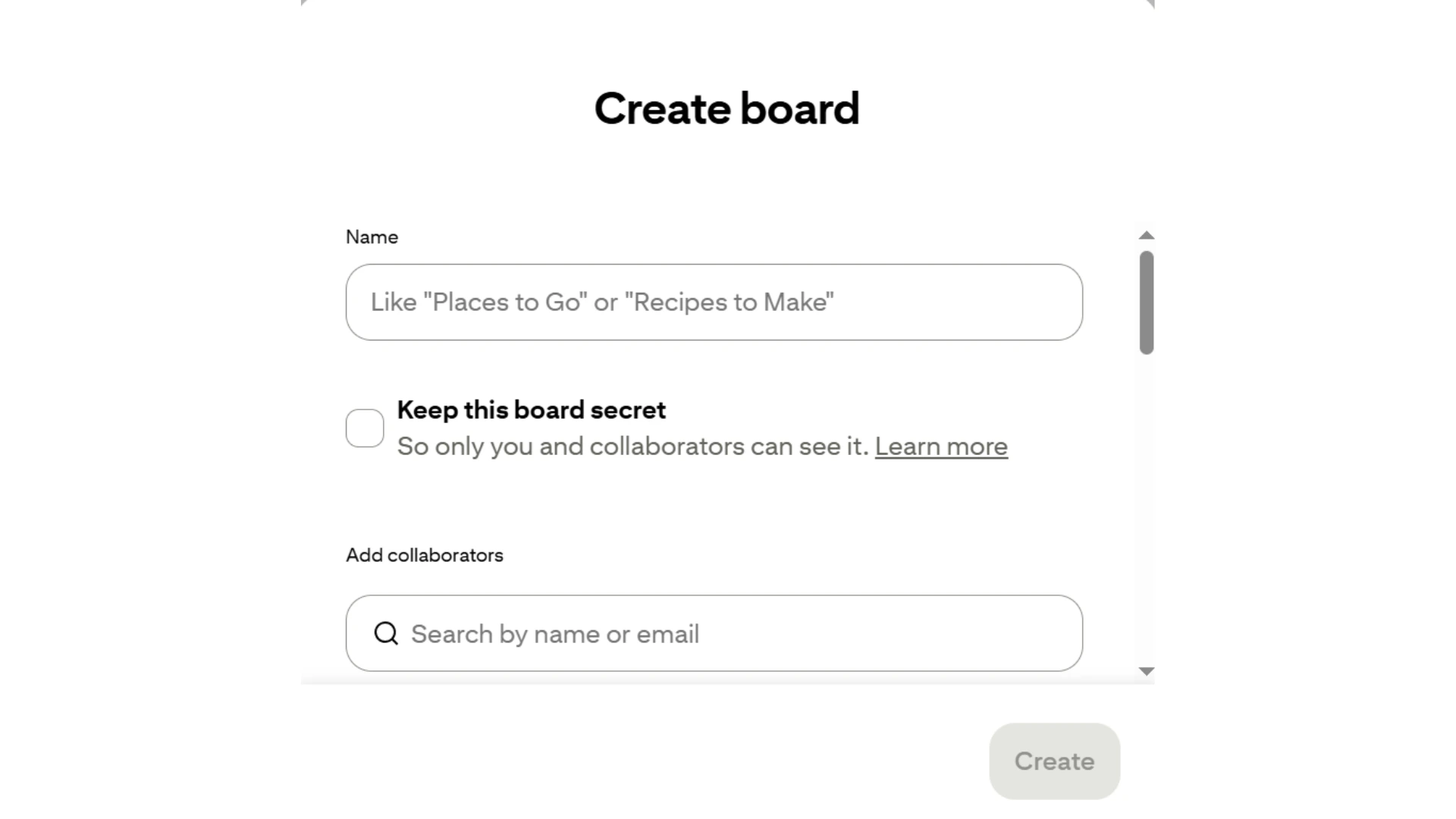
One thing I wish I had known earlier is that Pinterest boards work like little shop shelves. If the labels aren’t clear, people just scroll right past. Naming your boards with keyword-rich, descriptive titles helps both Pinterest and your audience instantly know what your content is about.
For example, instead of calling a board “All the Good Stuff About Productivity”, try “Easy Weeknight Dinners for Busy Moms”. See the difference? It’s searchable, clear, and makes people want to click.
And here’s the thing. Clarity beats cleverness every single time on Pinterest. Keep your board descriptions short, focused, and aligned with your niche. I like to think of it as leaving little signposts that guide the right audience straight to my content.
Before creating a board, try typing a few keywords into Pinterest’s search bar. The suggestions that pop up are gold for knowing exactly what your audience is searching for.
8. Create Pins
Now comes the fun part, actually creating your pins! Honestly, great pins don’t just happen. They’re built with a mix of eye-catching visuals, smart keywords, and little details that make all the difference. Here’s an order you can follow:
- Start with visuals that pop: Use bright, high-quality images or graphics that stop the scroll. Canva is your best friend here, especially with ready-to-use Pinterest templates.
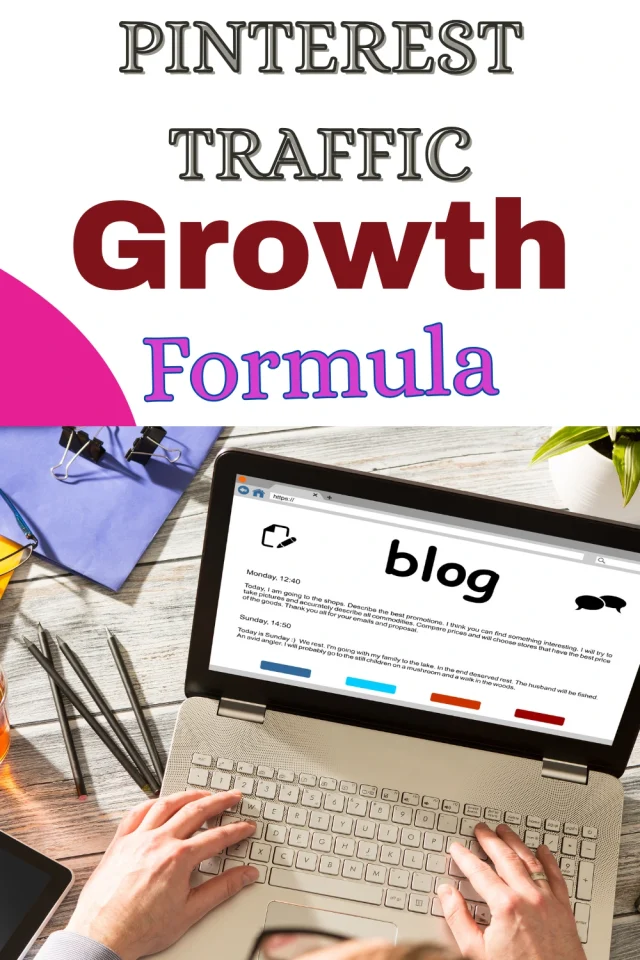
- Craft keyword-rich titles: Think about what your audience is typing into Pinterest’s search bar. Sprinkle those keywords into your titles so your pins appear when users search.
- Write compelling descriptions: A good description doesn’t just explain your pin, it invites action. Also, use persuasive language and weave in your main keywords naturally.
- Add strong calls-to-action (CTAs): Don’t leave your viewers guessing. A simple “Read more,” “Shop now,” or “Try this recipe” can nudge them to click.
- Optimize for visual search and accessibility: Add alt text so Pinterest can understand your images, and so your content is accessible to everyone.
- Always link back to the right external page: Nothing’s worse than a pin that takes someone to the wrong spot. Double-check that every pin leads directly to the page you want it on, whether it’s a blog post, shop page, or landing page.
Here’s a bonus tip: Think of all your pins as a mini billboard for your brand. Clear visuals, strong words, and a direct link make it work harder for you.
9. Pin Content Consistently
If there’s one thing Pinterest loves, it’s consistency. The algorithm rewards steady activity, so posting once a week and disappearing won’t do you much good. Instead, aim for a rhythm you can actually stick with, whether that’s three pins a day or ten a week.
Personally, I found batching to be a lifesaver. I’ll carve out an hour, design a bunch of pins at once, and then schedule them using tools like Pinterest’s native scheduler. That way, my content keeps flowing even on my busiest days.
Think of it like watering a plant, giving it little sips regularly to help it thrive. The same goes for your Pinterest strategy. Show up consistently, and your reach will grow over time.
10. Track Analytics
I’ll be honest with you, when I first started pinning, I didn’t even peek at my Pinterest Analytics. I just threw posts out there and hoped for the best. But the day I actually sat down to check my analytics, I had one of those “aha!” moments. Suddenly, I could see exactly which pins people were clicking, saving, and sharing.
Pinterest Analytics is like your behind-the-scenes control room. It tells you what resonates with your audience and what simply takes up space.
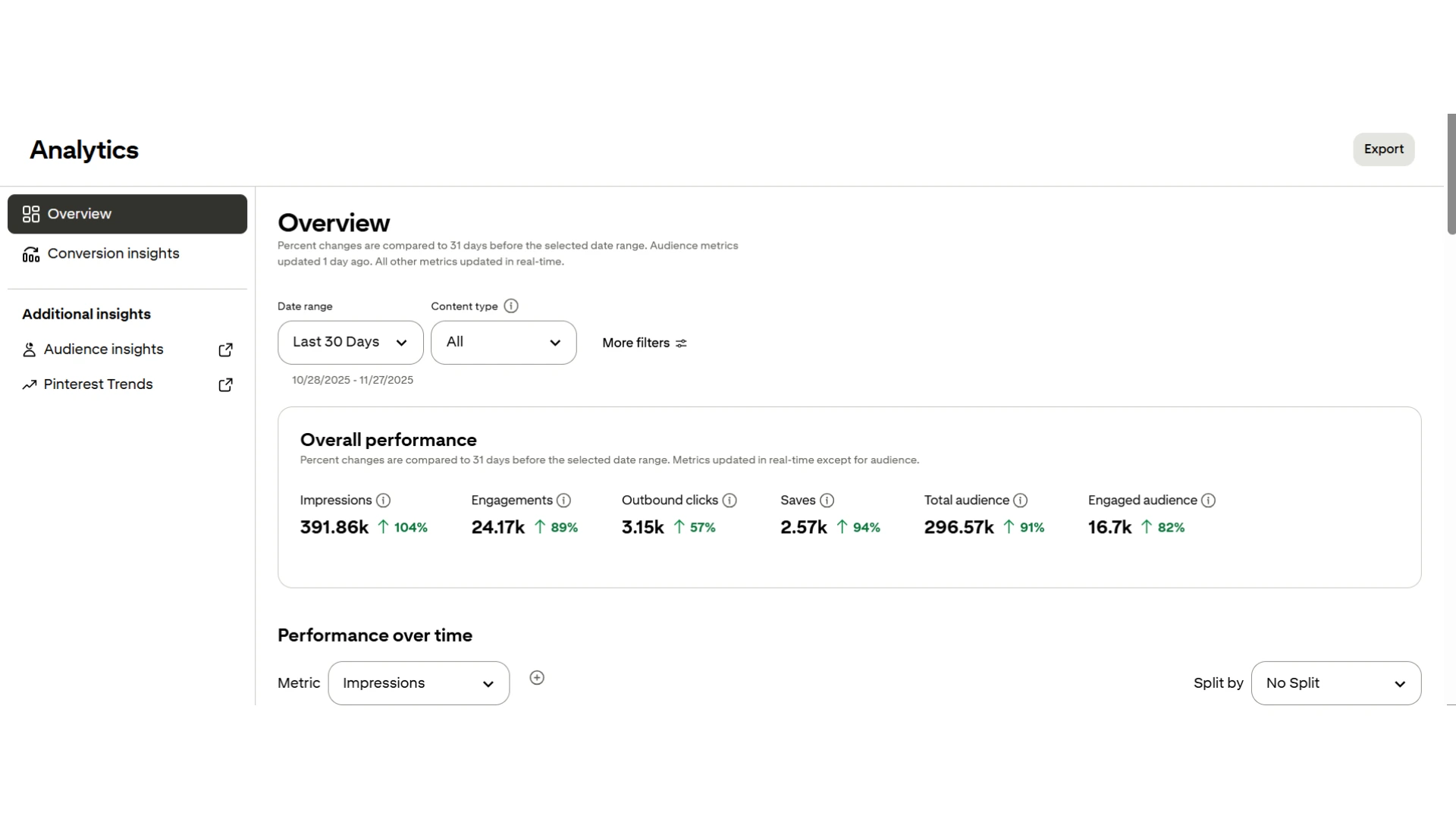
Pay special attention to outbound clicks (because they mean people are heading to your site), saves (because they show long-term interest), and your top-performing boards (so you know where to double down).
The best part is that you don’t have to build everything at once. Just make tiny, consistent tweaks, like creating more pins in the style that performs well. You can even refresh an underperforming board with new keywords.
Small improvements add up, and before you know it, your traffic graph starts moving in the right direction.
Common Mistakes to Avoid When Starting With Pinterest
Even the best Pinterest strategy can stall if you’re unknowingly tripping over common pitfalls. Here are some slip-ups I’ve made (and seen other people make) that you’ll want to sidestep:
- Being inconsistent with pinning: Posting a burst of pins one week and then going silent for a month confuses Pinterest’s algorithm. Aim for a steady, bite-sized consistency instead.
- Ignoring keywords: Cute or clever pin titles may sound fun, but without keyword-rich text, your content may never be found. Remember, clarity over cleverness.
- Not optimizing images: Dark, text-heavy, or low-quality pins just don’t get clicks. Bright, eye-catching designs with clear text overlays are more effective.
- Skipping analytics: Guessing what works is a fast track to burnout. If you’re not tracking clicks, saves, and top-performing boards, you’re missing growth opportunities.
- Overstuffing Boards: Having too many off-topic pins on a board weakens its relevance. Keep each board focused on one clear niche.
- Forgetting Mobile Users: Most Pinterest traffic is mobile, so tiny fonts or cluttered designs won’t cut it. Test your pins on a phone screen before posting.
Don’t try to be perfect at Pinterest overnight. Tweak one thing at a time, such as improving titles this week, and then cleaning up boards next week. Progress, not pressure, is the name of the game.
Start Pinning Smartly for More Traffic & Revenue
Growing on Pinterest doesn’t have to feel like a never-ending puzzle. You don’t need to burn out creating pins all night or juggle 10 different tools. With Pinclicks, you’ve got a simple, affordable, and powerful way to get more eyes on your content without draining your energy or your wallet.
If you’ve been wondering whether it’s really possible to grow while still managing work, family, and, well, life, the answer is a big YES. Your traffic can grow, your brand can shine, and you can do it at your own pace.
Ready to make Pinterest work for you instead of against you?
Your growth journey starts today, and trust me, you’ve absolutely got this!
How to Use Pinterest for SEO FAQs
1. Does Pinterest Help SEO?
Yes, Pinterest can boost your SEO by driving traffic to your site, increasing backlinks, and helping your content rank on Google.
2. How Much Does Pinterest Pay for 1000 Views?
Pinterest doesn’t pay per 1,000 views directly, but creators can earn anywhere from $3 to $15 per 1,000 views through ad revenue, affiliate links, or brand deals.
3. How Can I Get 1 Million Monthly Views on Pinterest?
You can reach 1 million monthly views on Pinterest by posting consistently, using keyword-rich titles and descriptions, creating eye-catching pins, and engaging with your audience. It all
